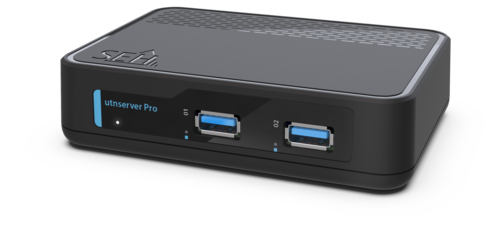
utnserver Pro

Remote solution for the connection of local USB devices

In times when home office solutions are increasingly required, the utnserver Pro offers numerous features that enable safe and reliable work from home. This makes it the perfect choice for small to medium-sized companies and offices and of course for remote environments. 


At a glance

2 x USB 3.2 Gen 1 (SuperSpeed)

SSL/TLS encryption

80 MB/s throughput

Built for remote environments

Product overview

Here is an overview of our technical specifications and security features to help you understand the key capabilities of our product.

Features

Network

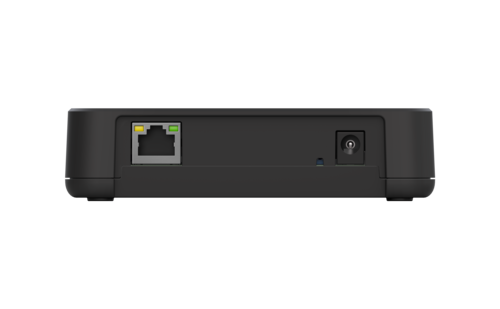
1 × RJ-45, shielded
IEEE 802.3 (1000BASE-T, 100BASE-TX, 10BASE-T)
IPv4, IPv6

Interfaces

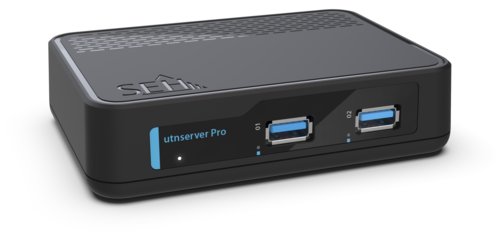
2 × USB 3.0 SuperSpeed, Type-A (USB ports 1–2)
USB port 1: performance-optimized for USB devices with up to 16 USB endpoints

Management Software

SEH UTN Manager (connection management)
SEH Product Manager (network device management)
Control Center (integrated user interface for configuration, administration, monitoring and maintenance via browser)

Supported operating systems

Microsoft Windows 10, 11 (SEH UTN Manager also for ARM64)
Microsoft Windows Server 2019, 2022, 2025
macOS 15 (Sequoia) or later
 

Updates & Support

Regular software updates, technical support worldwide

Security

Encryption

TLS 1.2/1.3, HTTPS

Authentication

IEEE 802.1X (EAP-MD5, EAP-TLS, EAP-FAST, EAP-TTLS, PEAP)

Certificate management

Self-signed certificate, certificate request, CA certificates, client certificates, PKCS#12 certificate, S/MIME certificate

Network security

SNMPv3, VLAN (IEEE 802.1Q)
TCP port access control (Whitelist/Blacklist, IP and MAC address filter)

Access control

Device access control (password protection, session login, user accounts: Administrator, USB Manager, Read-only user)
USB port access control (port key control, device assignment, USB port deactivation)
USB HID class blocking, USB MSD class blocking

Notifications

Email notifications (status, certificate expiry), SNMP traps

Tools & Documentation

Insights

Description

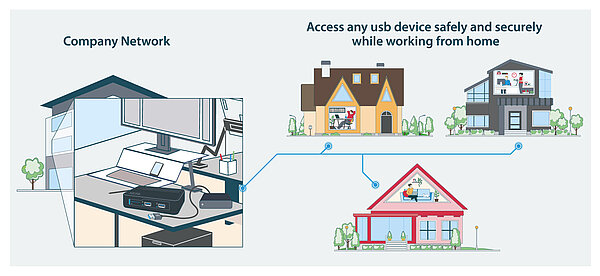
How utnserver Pro works: Connect the utnserver Pro to the network, plug in USB device and use our software tool to easily access the device over the network while working from home.

Operating mode utnserver Pro

The utnserver Pro provides all types of USB devices over a network and works according to the "plug & play" principle: You integrate the device server into your network and connect your USB devices to its USB ports. Use the related SEH UTN Manager software to create a virtual USB connection to the USB device with one click. You are then abled to use the connected USB device like a locally connected one. The connection to your USB devices works via LAN, VPN, VLAN, the Internet and in server-based and virtualized environments. This means that companies can access their USB devices from any work environment and any location: convenient, high-performance and encrypted!

Best compatibility with USB devices: Use a variety of USB devices in a controlled and flexible manner via the network like RDX drives, scanners, medical devices, measuring devices, printers, cameras, telephone systems and many more.
Extras

Order Number

  • M05130 (EU)
  • M05131 (UK)
  • M05132 (US)
  • M05133 (JP)
Where to buy
5 Year Warranty

Extend your warranty by up to 60 months.

Find out more

Noch Fragen?

We know our products can be complex. These FAQs cover the most common questions about using and implementing them in your daily work. For specific questions, please contact our Support Team.

MTBF (Mean Time Between Failures) describes the statistical average operating time between failures.

The following values apply:

  • utnserver Pro: 300,000 hours

Note: MTBF is a statistical reliability value and not a guaranteed service life for an individual device.

For SNMPv3 communication with USB Device Servers, the following methods are supported:'
Authentication:
MD5SHA-1 / SHA-96
Encryption:
DES / AES-128SHA-2 
methods such as SHA-224 and SHA-256, as well as AES-192, AES-256, and 3DES, are not supported. If your SNMP client uses one of these methods, a connection cannot be established.
 

Show all FAQs